
MIDI Assignments
FFOSSO instruments and their modules come with a lot of controllable parameters to shape the sound.
While many of these are pre-mapped by default, you can unleash their full power by assigning them to MIDI CCs yourself.
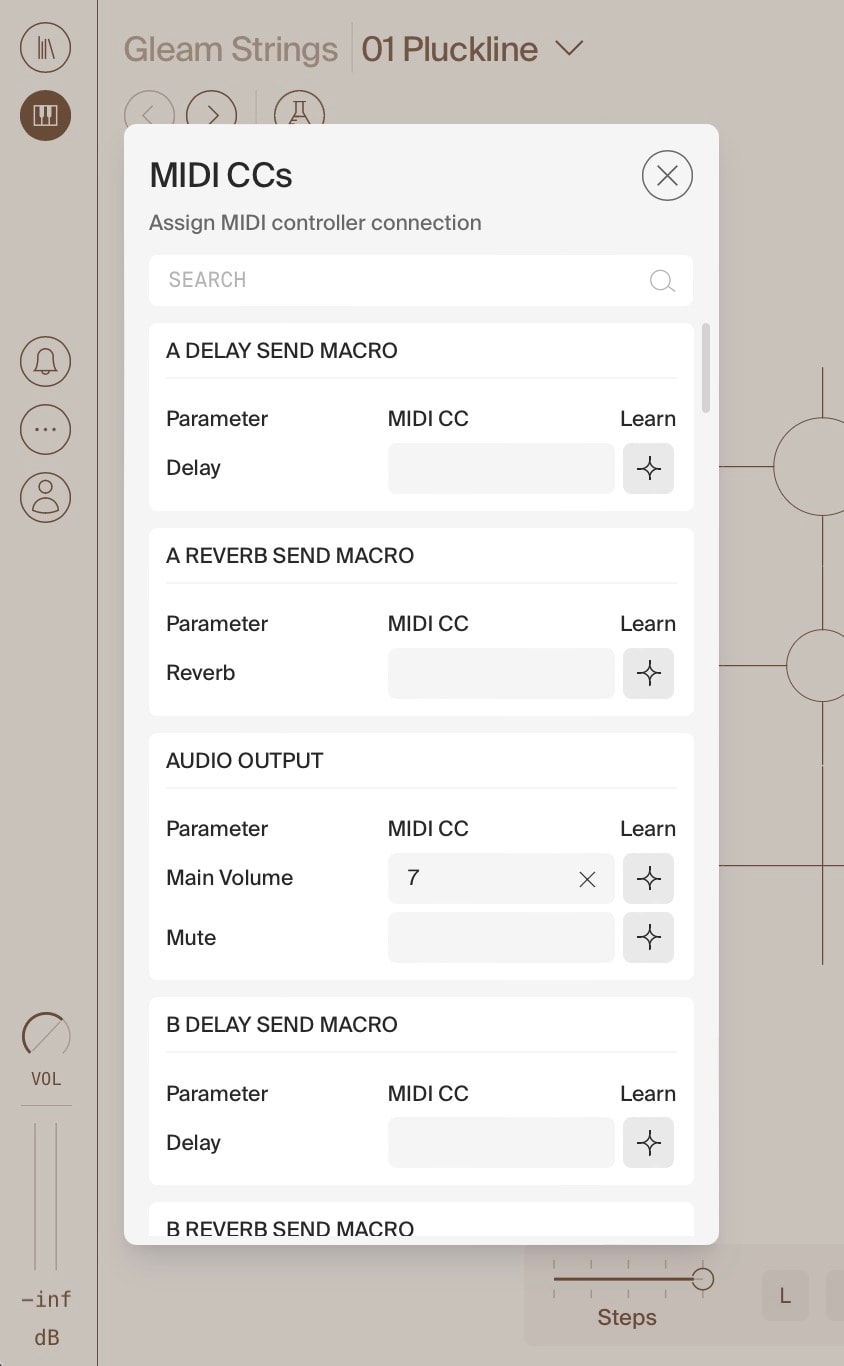
The MIDI Assignments dialog lists all the modules in the current instrument, with all their available parameters.
If a parameter is already mapped to a MIDI CC, its number is visible in the field.
To (re-)assign a parameter, click the Learn icon and send the MIDI CC you wish to assign by moving a fader/turning an encoder on your control surface.
Alternatively, click in the respective text box and enter the MIDI CC number.
Note:
Assigned MIDI CCs will be persistent when switching patches within the same instrument, but will reset when changing to another instrument.
To preserve assigned MIDI CCs between instruments, you need to (re-)save the instrument! If the instrument was created by you, just save it normally. For factory instruments (which you can’t save), saving your sequencer project will save the status including all assigned MIDI CCs.
Use the search bar at the top to find particular module, or parameters within modules.