
Library
Library is the center of FFOSSO, and it’s where you’ll find all the instruments.
You can always go here to download instruments, manage the ones you’ve already downloaded, and load them.
There are three tabs you can switch between using the buttons in the header.
Discover
The Discover tab shows all instruments available to download, as well as the ones you’ve already downloaded.
At the top, the tag cloud helps you find the right instrument quickly.
Downloads
The Downloads tab shows all your downloaded instruments.
Projects
The Projects tab shows all the instruments you’ve created yourself.
In all three tabs, the instruments are organized in a grid, with a card representing each instrument.
Instrument Card
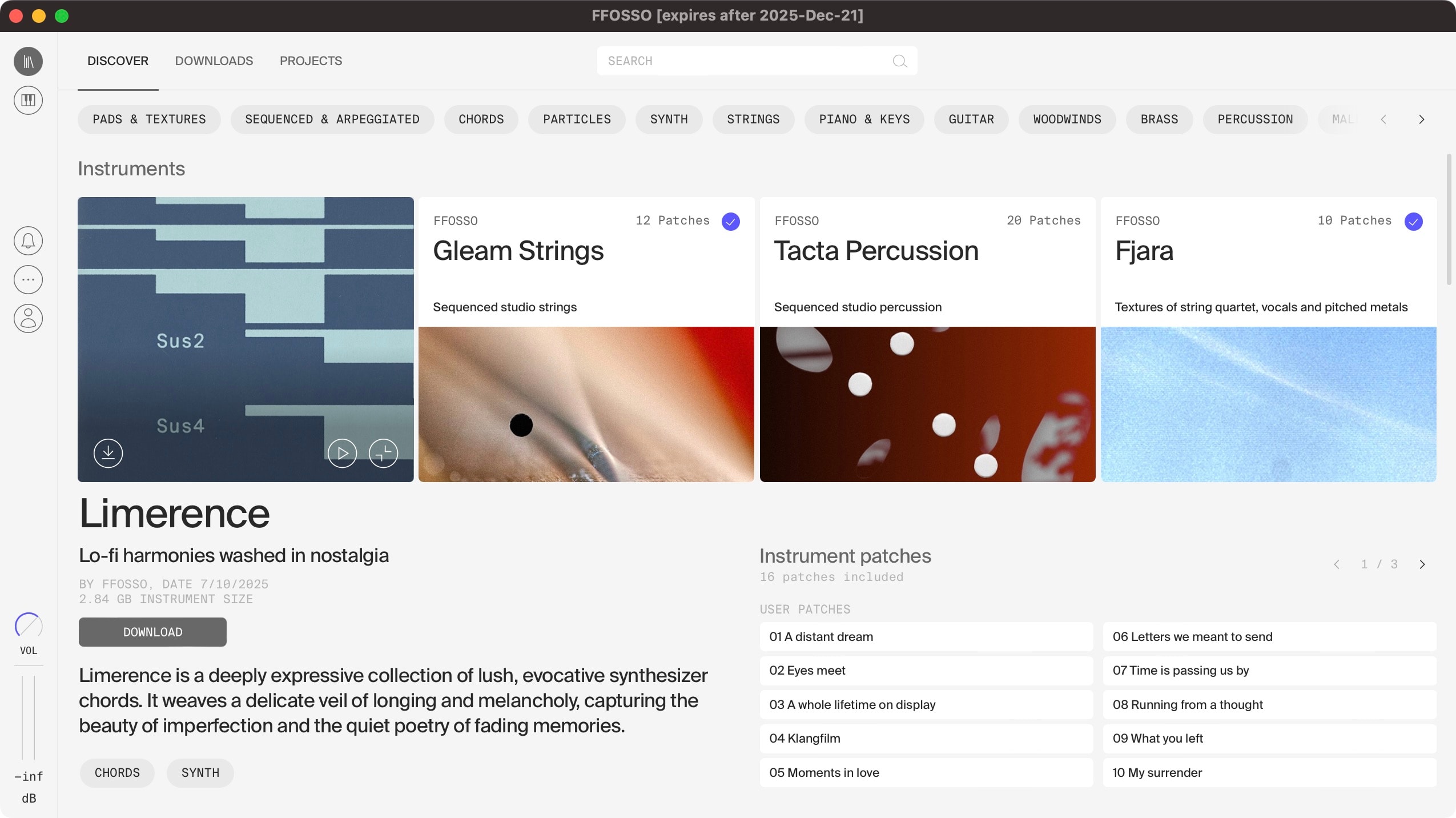
The instrument card shows the instrument name, the number of patches (distinct sound variations), the subtitle, and an artistic visual representation of the instrument. If the instrument is stored locally, a blue checkmark will be visible in the right corner.
Click anywhere inside the square to show the instrument details. Alternatively, click the details button in the bottom right.
Clicking again hides the details.
If the instrument has an audio demo, click the loudspeaker icon to play it.
In the popup player in the lower right of FFOSSO you can then stop playback, adjust the volume, and close the player.
The bottom left of the instrument square shows the download button (if the instrument has not been downloaded), or the play button, which loads the instrument into the Performance tab. While an instrument is downloading, the download progress is shown here. Click on it to cancel the download.
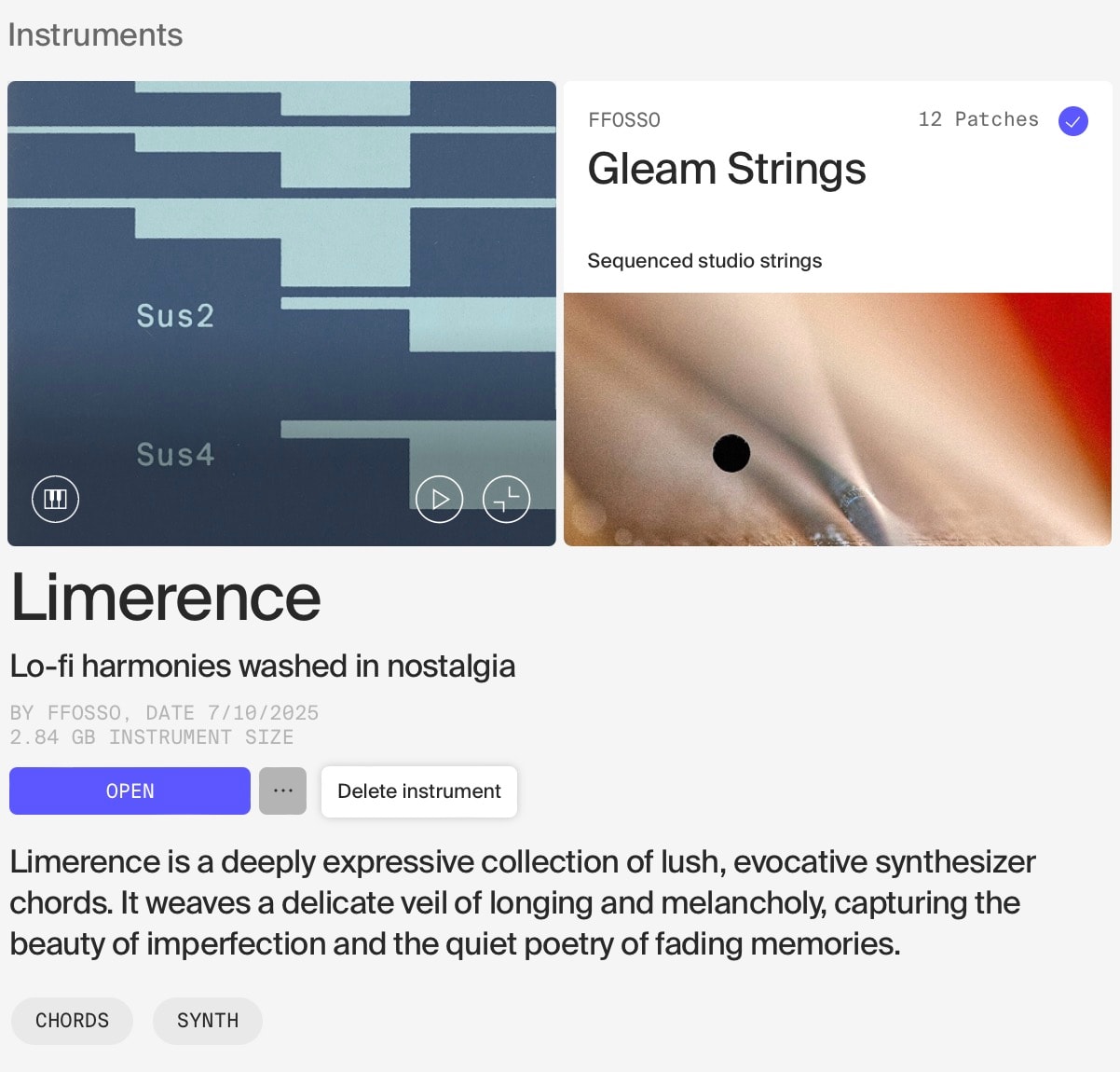
In the details, you’ll find a short description of the instrument, its associated tags, a list of all the included patches, and options to download (if not downloaded yet) or open it.
On downloaded instruments, the … menu has the option to delete the instrument from your system.
Clicking a patch will open the instrument with that patch selected.
Update badge
When there is a new update available for the FFOSSO application, you will see a blue “Update available” badge at the top right of the Library.
This will directly take you to the download for your platform. Just download, and install on top of the existing version and your FFOSSO application will be up to date.