
Change content location
FFOSSO relies heavily on its sample content, with some instruments being quite big. By default, all downloaded samples and visual assets will be stored in the content folder. If you want to free space on your system drive, you can move all downloaded content to any internal or external drive.
Relocating your factory content location is only possible in the standalone version of FFOSSO.
This action isn’t possible in any plugin format, but the plugins will, of course, use the relocated folder.
Please close all open instances of FFOSSO apart from the standalone.
Click “…” – Manage Content Location and pick a new location.
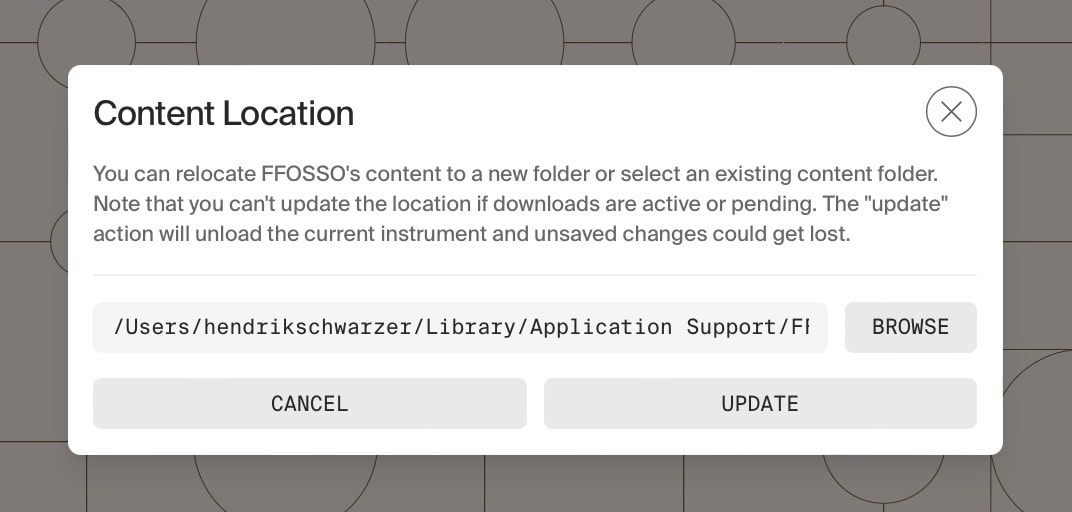
If you want FFOSSO to move the existing files to a new location:
Make sure you pick or create a new, empty folder. It is not possible to choose a network location.
Note that all content will be moved into the chosen location, so do not pick the root of a drive, or any other location with files/folders in it.
After confirming, FFOSSO will move all content to the new location and delete it at the original location including its containing folder.
If you have already moved the content/folder, and now want FFOSSO to use the new location:
Pick the new location where your content now is, for example on a new hard drive you moved it to.
After confirming, FFOSSO will use that folder. Note it will not check that all files are (still) there! If you copy anything manually, make sure to copy everything.
From then on, all downloads will automatically use the new folder.