Instruments and Patches
Instruments
Instruments are fundamental building blocks within this system. They represent the smallest individually downloadable entity and are prominently featured as the primary items you browse within the Discover, Downloads, and Project sections. Furthermore, an Instrument defines both its unique internal Module grid, dictating its sonic architecture, and its associated user interface (UI), providing a tailored control surface.
While the underlying structure of an Instrument remains static, much like the internal wiring of a classic synthesizer, its sonic output is flexible. This is achieved through adjustable parameters – our equivalent of synthesizer knobs – and the ability to exchange samples within multisampler modules. By manipulating these elements, you can create a diverse range of sounds.
Patches
When you wish to explore different sonic possibilities based on a single Instrument structure, you can create patches. These patches store specific configurations of parameters and sample selections, allowing you to quickly recall distinct sounds.
It’s important to understand that the Module grid defines the fundamental nature of the Instrument. Any modification to this grid will have a global impact, reflecting across all existing patches associated with that Instrument. This action will overwrite parameter changes and remove connections within all patches to ensure they align with the newly defined Instrument structure.
Therefore, the workflow for creating your own unique sounds typically begins with designing the Instrument’s Module grid. Once you are satisfied with its structure and overall functionality, you can then create multiple patches, each exploring different sonic territories through parameter adjustments and sample swapping.
Creating a patch
To create a patch, navigate to the Workspace View. Beside the instrument’s name, click the down arrow and select “Create a new patch”.
Patch mode
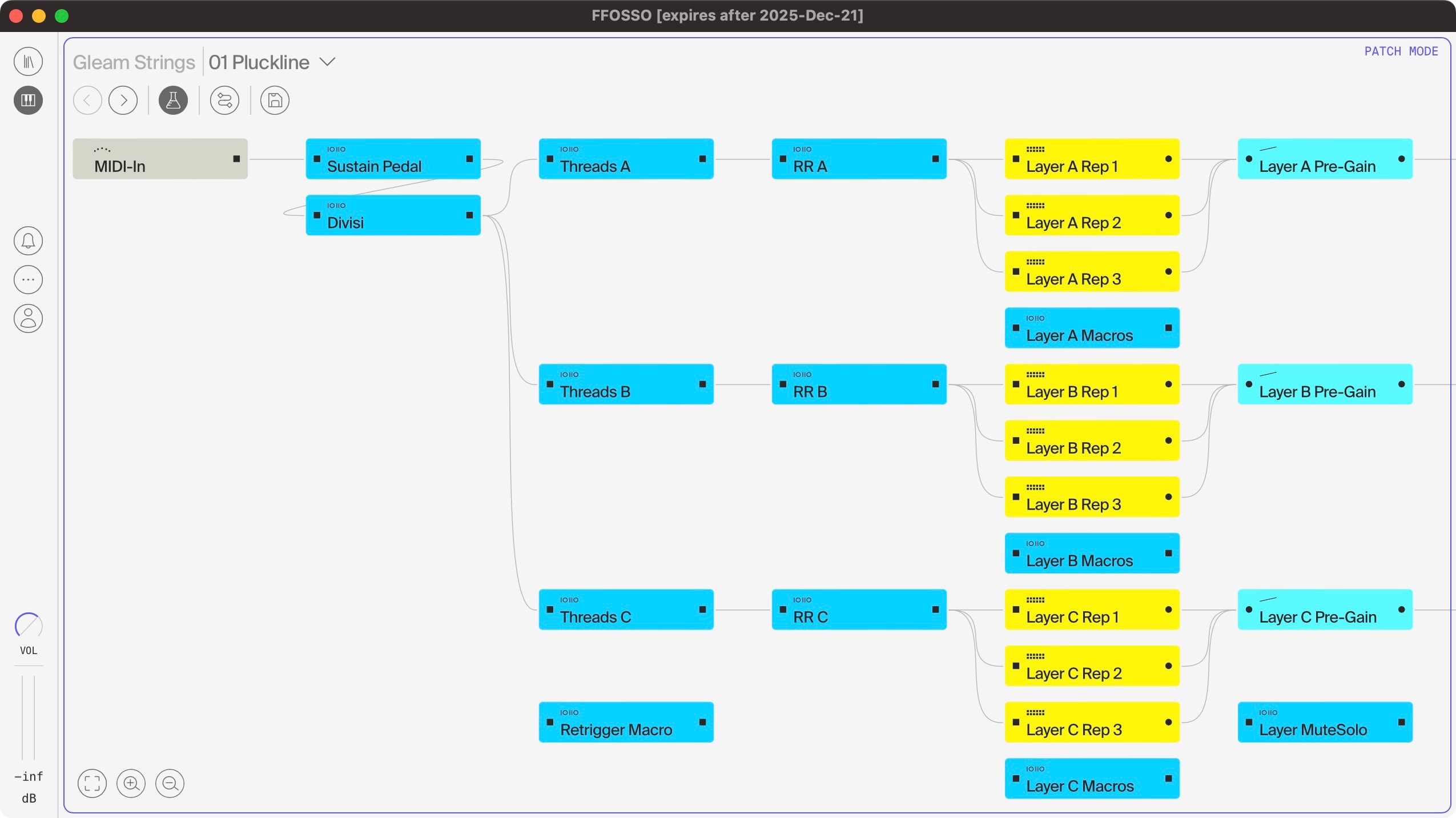
A blue outline around the module grid indicates patch mode. To rename your patch, click on the current name, similar to renaming an instrument.
In Patch mode, the module grid is locked and synchronized with the main instrument. This mode allows for parameter adjustments and sample exchange within the multisamplers to create custom patches.
To return to the main instrument view, click on its name. Remember to save your work before, as unsaved changes will be lost.