
Parametric EQ
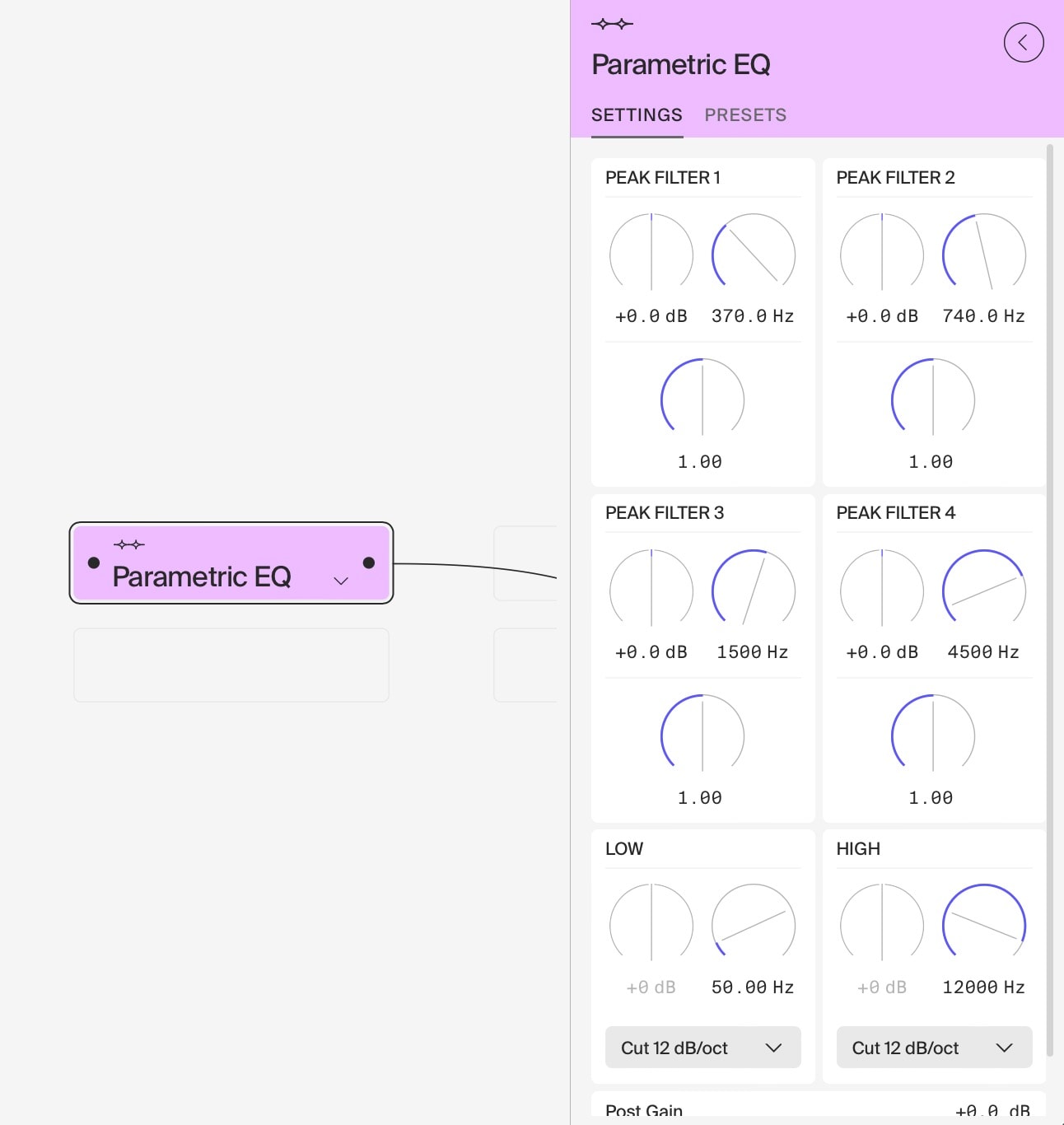
The Parametric EQ module is a powerful and flexible tool for precise frequency shaping, based on high-quality biquad filters. It offers a combination of low and high filters, along with four fully parametric peak filters, allowing for detailed control over your audio spectrum.
Key Features
- Low Filter Section:
- Filter Types: Low cut 12dB/oct, 24dB/oct, 48dB/oct, and Low shelving
- Frequency Range: 20 Hz – 20 kHz
- Gain Range (for shelving): -20 dB to +20 dB
Note: Low cut filters disable the Low dB knob
- High Filter Section:
- Filter Types: High cut 12dB/oct, 24dB/oct, 48dB/oct, and High shelving
- Frequency Range: 20 Hz – 20 kHz
- Gain Range (for shelving): -20 dB to +20 dB
Note: High cut filters disable the High dB knob
- Four Independent Peak Filters:
- Gain Range: -20 dB to +20 dB
- Frequency Range: 20 Hz – 20 kHz
- Q Factor Range: 0.2 to 20 (unitless)
Usage Tips
- Low End Control: Use the Low filter section to shape the bottom end of your sound. Low cut filters are great for removing unwanted rumble, while the shelving filter can boost or attenuate the entire low-end region.
- High End Shaping: The High filter section allows you to tame harsh frequencies or add air to your sound. Use high cut filters to roll off excessive brightness or the shelving filter to boost or cut the treble region.
- Targeted Frequency Adjustment: Utilize the four peak filters to boost or cut specific frequency ranges. These are ideal for enhancing desirable frequencies or attenuating problematic ones.
- Surgical EQ: With the wide Q factor range, you can perform anything from broad, gentle adjustments (low Q) to very precise, surgical cuts or boosts (high Q).
- Frequency Balancing: Use a combination of all filters to achieve a well-balanced frequency spectrum in your mix.
- Creative Sound Design: Experiment with extreme settings to dramatically alter the character of sounds for creative effect.
- Pre/Post Distortion EQ: Use this EQ before distortion to shape which frequencies are emphasized in the distortion process, or after distortion to refine the distorted sound. Pre-distortion EQ can dramatically change the character of the distortion, while post-distortion EQ helps to tame harsh frequencies or enhance the overall tone.
Advanced Techniques
- Notch Filtering: Set a peak filter to a narrow Q with maximum cut to create a notch filter, useful for removing specific unwanted frequencies.
- Multiband Processing: Use this EQ in conjunction with multiple instances of other effects to create a multiband processing setup.
- Formant Modulation: Use automation or modulation sources to dynamically adjust the peak filters’ frequencies, creating vowel-like or “talking” effects. This can be particularly effective on synthesizer sounds or for creating unique vocal effects.
- Vowel Formant Simulation: Use two or three peak filters to emulate vocal formants.
Creative Applications
- Frequency-Dependent Distortion: When used before distortion, boost specific frequencies to create unique distortion characteristics. For example, boosting upper mids before distortion can create a more “bitey” distorted tone.
- Resonant Filter Simulation: Use high Q settings on peak filters with automation to create sweeping, resonant filter-like effects.
- Telephone or Radio Voice Effect: Use a combination of high-pass and low-pass filters to create a bandwidth-limited sound reminiscent of old telephones or radios. Experiment with the cutoff frequencies to achieve different “eras” of sound.
Remember, the Parametric EQ is not just a corrective tool but also a creative one. Its precision allows for both subtle refinements and dramatic sound design. Always consider the context of your full mix and don’t be afraid to experiment with extreme settings for unique effects.
Last updated on