
Noise Generator
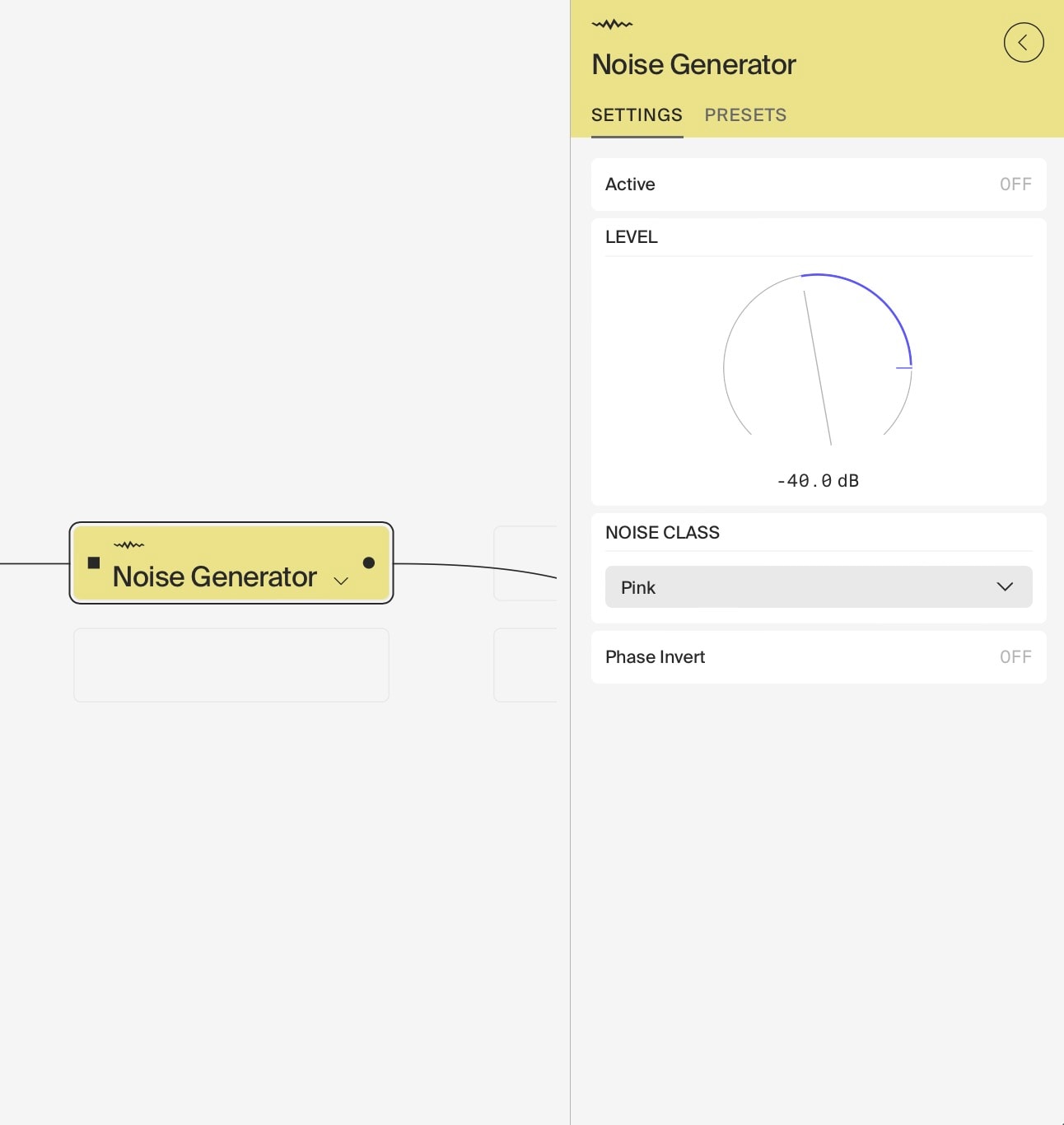
The Noise Generator module is a versatile tool designed to produce various types of noise, which can be used creatively in sound design and audio processing. It serves as an essential component for generating textures, effects, and even as a source for exciting resonant filters.
Key Features
- Noise Types:
- White Noise: Equal energy across all frequencies, suitable for a wide range of applications.
- Pink Noise: Energy decreases with frequency, providing a balanced sound that mimics natural phenomena.
- Brown Noise: Even more energy reduction at higher frequencies, resulting in a deeper, richer sound.
- Noise Floor: A low-level noise specifically designed to interact with resonant filters, ensuring they remain active and audible.
- Level Control: Adjust the noise output level from -90 dB to +18 dB, allowing for precise integration with other audio elements.
- On/Off Switch: Easily toggle the noise generator on or off with a dedicated button for quick access during live performances or studio sessions.
- Phase Inversion: A button to invert the phase of the right channel, allowing for mono phonic noise output, useful for correcting phase issues or creating unique stereo effects.
Usage Scenarios
- Environmental Sound Effects:
- Wind: Use white noise with a low-pass filter that slowly modulates its cutoff frequency to simulate wind gusts. Adjust the filter’s resonance for whistling effects.
- Ocean Waves: Combine white noise with a midi CC controlling a bandpass filter. Adjust the external modulation to match the rhythm of waves.
- Rain: Use white noise with a high-pass filter and subtle amplitude modulation for light rain, or add some pink noise for a heavier downpour.
- Brown Noise Applications:
- Industrial Noise Floor: Simulate the low rumble of machinery or distant factory sounds.
- City Ambience: Create a subtle urban background noise, mimicking the low-frequency hum of traffic and city life.
- Sound Design Techniques:
- Layered Textures: Combine different noise types (e.g., white, pink, and brown) at varying levels to create complex, evolving textures.
- Synthesiser Enhancement: Use noise as a subtle layer in sampler patches to add grit or air to the sound.
- Creative Audio Processing:
- Noise-Based Reverb: Feed noise through a reverb effect to create unique ambient textures or “noise washes.”
- Experimental Techniques:
- Resonant Filtering: Use the noise generator to excite resonant filters, creating pitched elements from unpitched noise.
- Transition and Effect Design:
- Risers and Falls: Use filtered noise with automated cutoff to create tension-building effects.
Technical Notes
- The wide range of level control (-90 dB to +18 dB) ensures that the noise can be tailored to fit seamlessly within any mix, whether you need a subtle background texture or a prominent noise element.
- The Noise Floor option is specifically designed to work in conjunction with resonant filters, providing a minimal amount of signal to excite the filter’s resonance, ensuring that the filter remains active and audible even when no other input signal is present.
- The ability to select between different noise types allows for a broad range of creative possibilities, from sound design to masking unwanted sounds in recordings.
This Noise Generator module is a powerful tool for adding depth and character to your audio projects, making it an essential addition to your sound design toolkit. Its unique Noise Floor feature makes it especially valuable when working with resonant filters, enabling you to fully explore their sonic potential.
Last updated on